



If you manage multiple restaurant locations, you know the friction of auditing isn’t the inspection itself. The real challenge is scale. Generating consistent scores, capturing credible evidence, and driving closed-loop corrective action across every store, every week.
Restaurant auditing software (also known as a restaurant audit management platform) solves this by centralizing the chaos. It replaces clipboard checklists and scattered spreadsheet data with a single, digital workflow:
- Schedule the audit
- Guide the inspector
- Capture photo evidence
- Assign fixes
- Verify completion in real time
This shift is critical because food safety and brand standards aren't theoretical. The FDA Food Code serves as the model for safe food handling in retail and foodservice, with adoption at state and local levels requiring rigorous, documented adherence.
What is a restaurant audit?
A restaurant audit is a structured evaluation of whether a location meets your operational promises. These typically cover:
- Food safety practices: Temperature logs, cold holding, sanitation, and cross-contamination controls
- Cleanliness and facility condition: Maintenance of floors, walls, vents, and equipment
- Brand standards: Uniforms, plating presentation, and guest interaction steps
- Operational controls: Cash handling, opening/closing checklists, and training verification
In practice, manual audits often fail because they devolve into "pencil-whipping" where scores are inflated, follow-ups are forgotten, and systemic issues remain hidden until a health inspector finds them.
Why software beats paper
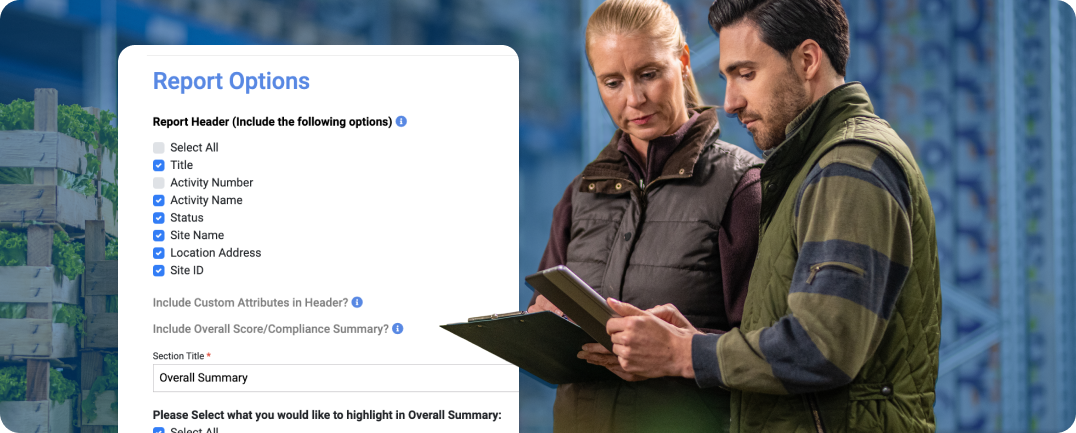
Paper checklists record what someone said they did. Audit software proves what actually happened. This depth allows audit programs to function as genuine compliance engines rather than just administrative hurdles. A modern digital workflow provides:
- Smart forms: Checklists that adapt based on role or location (conditional logic)
- Irrefutable evidence: Photos, timestamps, and geolocation tags that prevent "parking lot audits”
- Automated correction: Workflows that trigger tasks with due dates immediately upon failure (CAPA-style closure)
- Trend visibility: Dashboards that reveal if a specific region is slipping on sanitation or if a new menu item is causing prep errors
- Rapid deployment: Roll out standardized audits across locations quickly—without long IT projects or operational disruption

6 capabilities that drive performance
Most platforms list dozens of features. In high-volume food operations, these six determine whether your program drives improvement or just digitizes busy work.
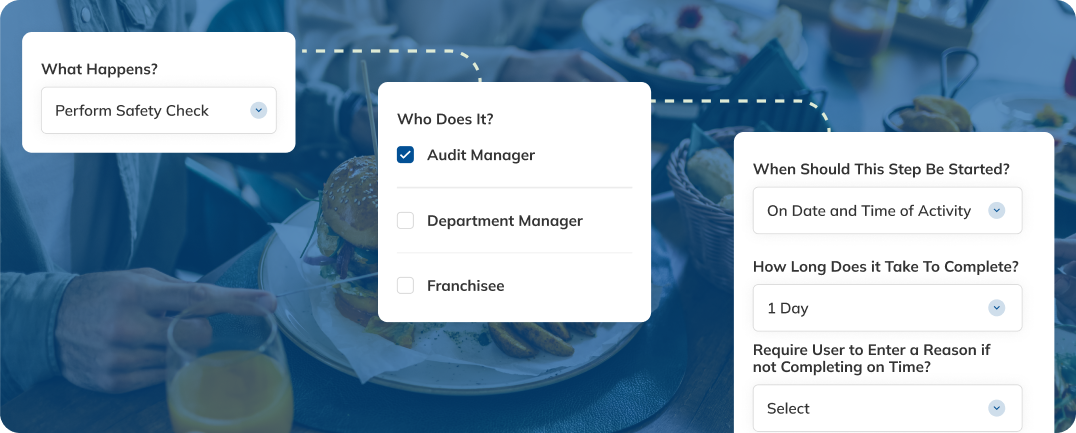
1. Audit scheduling that matches the way restaurants run
Compliance becomes random if scheduling is difficult. Look for tools that handle recurring intervals (daily/monthly/quarterly) and allow targeted campaigns.
2. True mobile-first execution
Audits happen in freezers, on noisy lines, and in back-of-house dead zones. The system must function fully offline and sync automatically. If the app lags or crashes in a walk-in cooler, your auditors won't use it.
3. Evidence that stands up to scrutiny
When a district manager scores a location a "fail," they need backup. Integrated photo capture required comments for low scores, and digital signatures turn a subjective opinion into data-backed coaching.
4. Closed-loop corrective action (CAPA)
Finding a problem is useless if you don't fix it. The best systems automatically route failed items into a "Corrective Action" workflow. Then, they assign the fix to a specific manager, set a deadline, and require photographic proof of the resolution.
5. Prioritization analytics
Don't just collect data. Answer questions. Good reporting highlights:
- Which specific standard fails most often?
- Which locations are trending down quarter-over-quarter?
- Are auditors calibrated (ex: does one auditor never fail anyone)?
6. Standardization across locations without losing self-serve flexibility
Multi-unit brands need a global standard that respects local reality. Your software should enforce core brand non-negotiables while allowing variations for different facility types, equipment layouts, or regional menus.
Choosing the right restaurant auditing software: Evaluation checklist
When evaluating vendors, look past the sales pitch to operational reality:
- Deployment speed: Can we roll this out to 1,000+ locations without a 6-month IT project? (ex: CMX1 has deployments of large-scale programs in under 30 days)
- Accountability: Does the workflow force issue resolution, or just list problems?
- Visibility: Can field leaders see their region’s health in one click?
Frequently asked questions
1. What is the difference between restaurant auditing software and restaurant compliance software?
Auditing software is focused on executing audits (checklists, evidence, scoring, corrective actions, reporting). Compliance software is broader, often combining audits with standards/policies, training, documentation, and other programs.
2. Is restaurant auditing “food safety only”?
No. Many brands audit food safety, brand standards, and operational execution. Food safety matters because failures can have serious consequences; CDC estimates 48 million people get sick from foodborne illness each year in the U.S., with 128,000 hospitalizations and 3,000 deaths.
3. How do audits support HACCP programs?
HACCP is a management system that addresses food safety through hazard analysis and control of biological, chemical, and physical hazards. Audits operationalize that verifying controls are followed (and documenting corrective actions when they aren’t).
4. Do restaurants need to align audits to the FDA Food Code?
Many jurisdictions base local rules on the FDA Food Code as a model. Your audit program should reflect your local requirements and your brand standards, then use software to prove adherence consistently.
The bottom line: Why audit software is a necessity
Restaurant auditing software isn't just a digital checklist. It’s an operating system for brand consistency. It scales your ability to inspect, correct, and improve performance across every location, protecting both your customers and your brand reputation.
Ready to streamline your audit workflow? Request a demo to see how CMX1 handles scheduling, evidence capture, and real-time reporting.